
set it up
- Sign in to Earful with your email address. There’s no password; we send you a sign-in link.
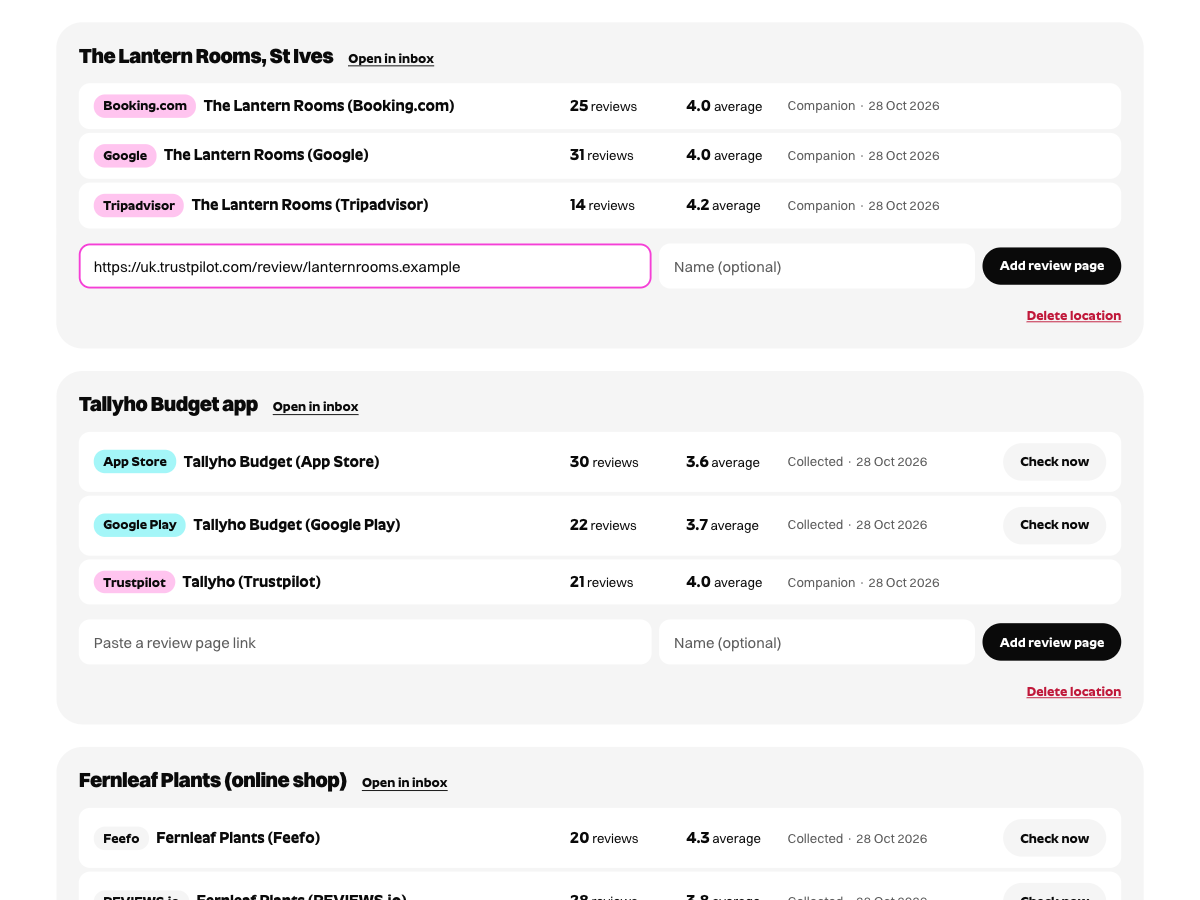
- Add your business and its Trustpilot page. Earful collects the reviews automatically, or through the free Earful Companion browser extension if it asks you to add it.
- In Slack, add the Incoming Webhooks app to the channel you want and copy the webhook URL it gives you (it starts https://hooks.slack.com/).
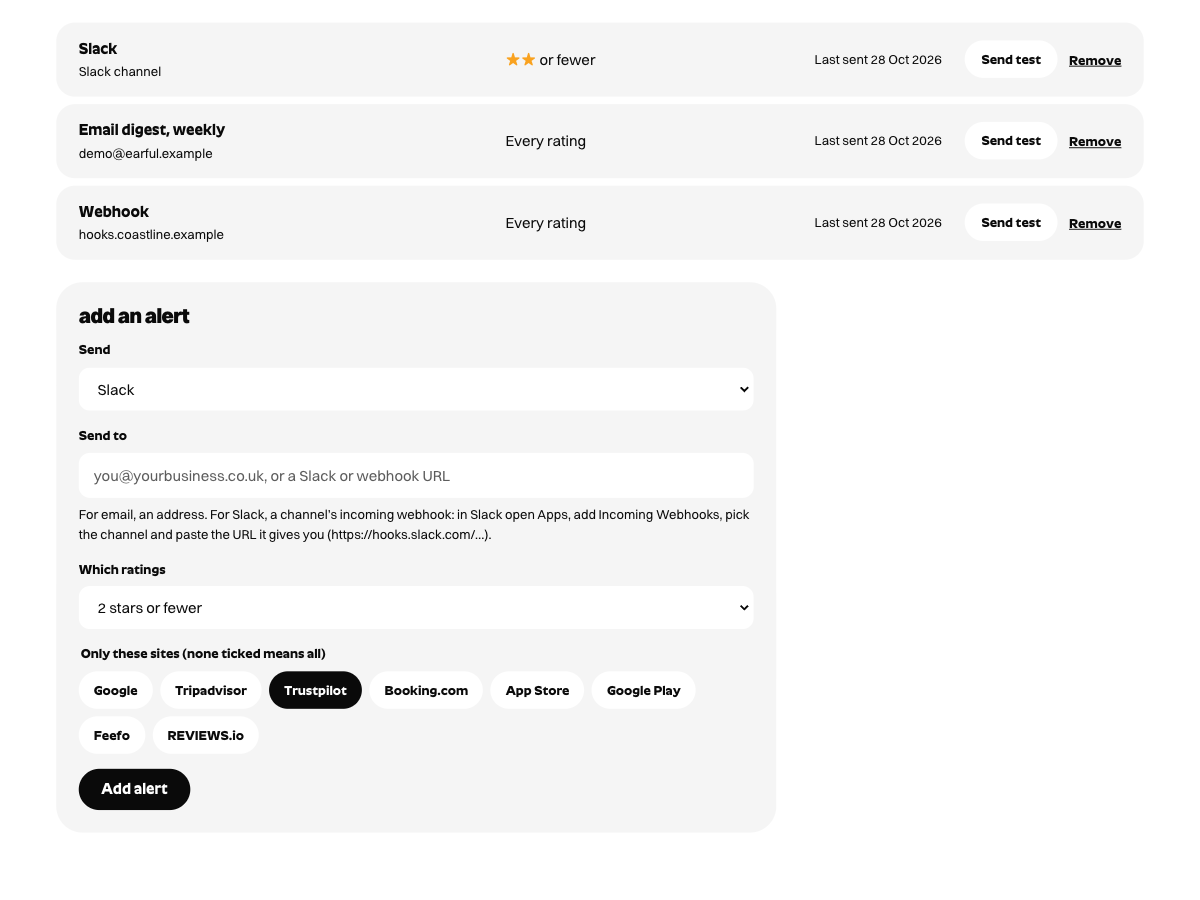
- In Earful, open Alerts, choose Slack, paste the URL and tick Trustpilot.
- Choose which ratings should post to Slack. Plenty of teams pick two stars or fewer for the channel and leave the rest to an email digest.
what lands in Slack
Each message shows the star rating, the reviewer’s name as Trustpilot shows it, the review’s title and text, and a link to reply in Earful, where one click drafts the reply. Earful posts a review to Slack once it has collected it. Reviews that come in through the Companion arrive when it syncs, which it does while your browser is open and you’re signed in to Trustpilot Business.

replying to the review
Edit the draft in Earful, then press Copy and open reply page. Earful opens Trustpilot Business and the Companion fills your reply into its reply box. Read it over and press submit; Earful marks the review as answered so the rest of the team can see it’s handled.
other sites in the same channel
The same alerts work for Google, Tripadvisor, Booking.com, Yelp, Deliveroo, Just Eat, Uber Eats, OpenTable, the App Store, Google Play, Feefo and REVIEWS.io. Each review arrives marked with where it came from, and one location covers all of a business’s sites.
Rather have alerts by email? Choose email instead of Slack, or both.
Not set up yet? Try the free review reply generator on one review first.